Place Completed Items by Planned Period, Not Completion Time
Jul 01, 2026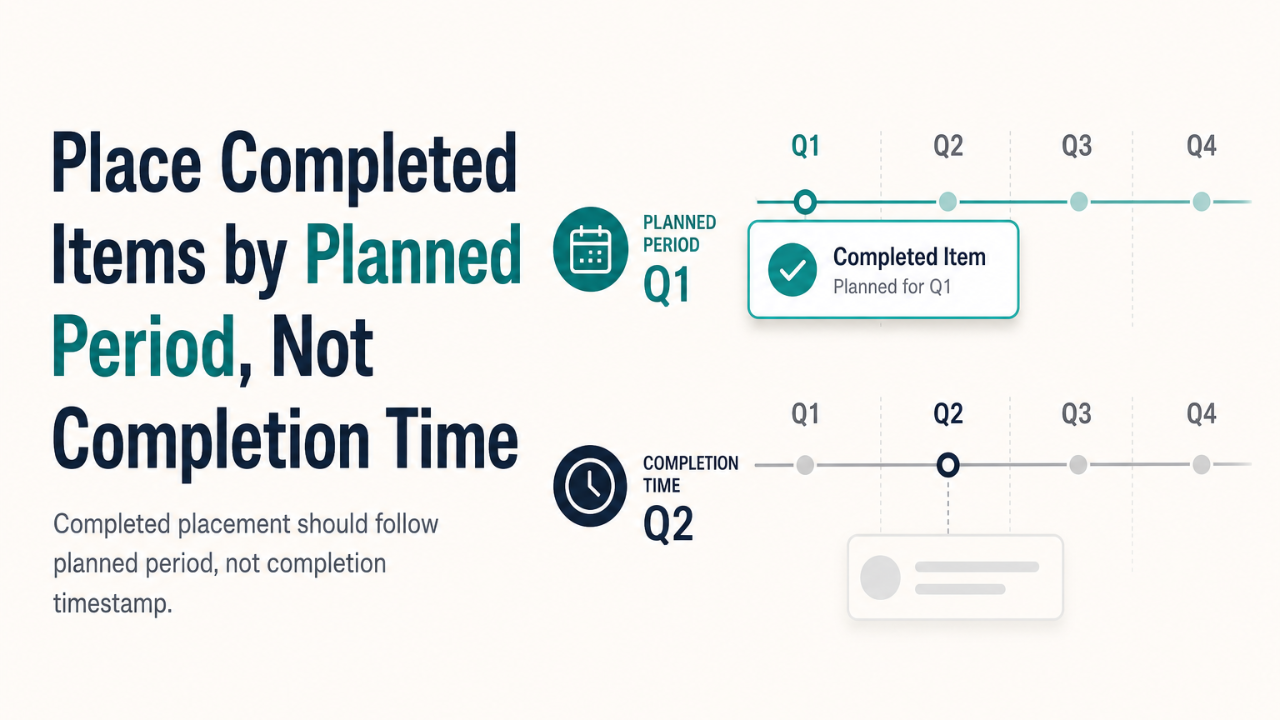
When completed work appears in the wrong quarter or date range, teams often assume the completion flow is broken. More often, the placement logic is sorting by the wrong timestamp. For planning objects, completed placement should follow the object's planned period—not when it was marked done.
The problem
The user-facing symptom sounds simple: a mission completed in Q2 shows up under Q2's completed view, even though it was planned for Q1. A peak target finished late lands in the wrong reporting window.
The instinct is to trace the completion mutation—did we write the wrong date? In many cases, the data is already correct. The objects already carry planned-period fields: year and quarter for missions, start and end dates for targets. Completion timestamps remain useful as audit metadata. The defect lives one layer up, in how completed views filter and bucket items.
What actually happened
The choke point was a shared helper that sounded right but encoded the wrong model. A function named like "completed in quarter" actually meant "completion timestamp falls inside the quarter." That works for some domains. It fails when the product question is "which planned period does this completed item belong to?"
Active and completed views often need the same date math but different status logic. Existing active predicates could not be reused verbatim because they intentionally exclude completed statuses. The fix was structural but localized: extract status-agnostic period predicates, keep active predicates status-gated, and rewire completed placement to use planned period or planned range instead of completion time.
No database migration, API change, or completion mutation was required. The required data already existed. The hidden complexity was predicate design—separating "matches this period" from "is active in this period" and "was completed in this period."
Targeted regression tests proved the old behaviour failed and the new behaviour held: planned Q1, completed Q2, still appears in Q1—not Q2.
The lesson
Date and period placement bugs are often predicate bugs, not mutation bugs.
Before touching how items are completed or stored, identify the exact placement predicate. Ask which date should drive display: planned date, completion date, creation date, or the UI's selected context. Helper names can hide the wrong model—a plausible name does not guarantee the right semantics.
When active and completed states share period logic, prefer status-agnostic date or range helpers composed with status-specific filters. Do not assume one predicate serves both views.
The broader principle
Small filtering changes can look trivial while preserving bad behaviour through the wrong sort key. A name that sounds domain-correct can encode an implicit assumption—here, that "completed in quarter" means "completed_at is in quarter" rather than "planned for quarter."
The general pattern: classify period bugs by layer before editing. Is the issue in storage, mutation, filtering, or display? If planned fields exist and mutations look correct, suspect filtering first.
For verification, separate item-specific proof from repository-wide or environmental noise. A fix can be complete for its scope even when unrelated type errors, lint incompatibilities, or sandbox dependencies fail globally. Record which failures are accepted limitations versus which would block release of the actual change.
How to apply it
- Start at the predicate. Find the function or query that decides bucket membership. Read what timestamp or range it actually compares—not what the name suggests.
- Name the display contract. Write down which date authority the UI promises: planned period, completion time, or something else.
- Factor status from period math. Extract helpers that match a quarter or date range without caring about status. Compose them with active-only or completed-only gates.
- Add regression tests for the wrong behaviour. Prove the old model fails: "planned Q1 / completed Q2 still appears in Q1."
- Keep mutations out of scope until proven. Do not change how items complete unless the audit shows the stored data is wrong.
Completion timestamps remain valuable—for audit trails, SLA measurement, and "when did this actually finish?" Completed placement for planning views is a different question. Answer it with planned period, not completion time.
